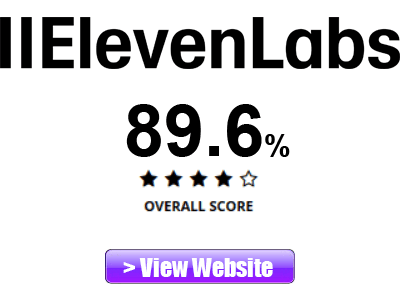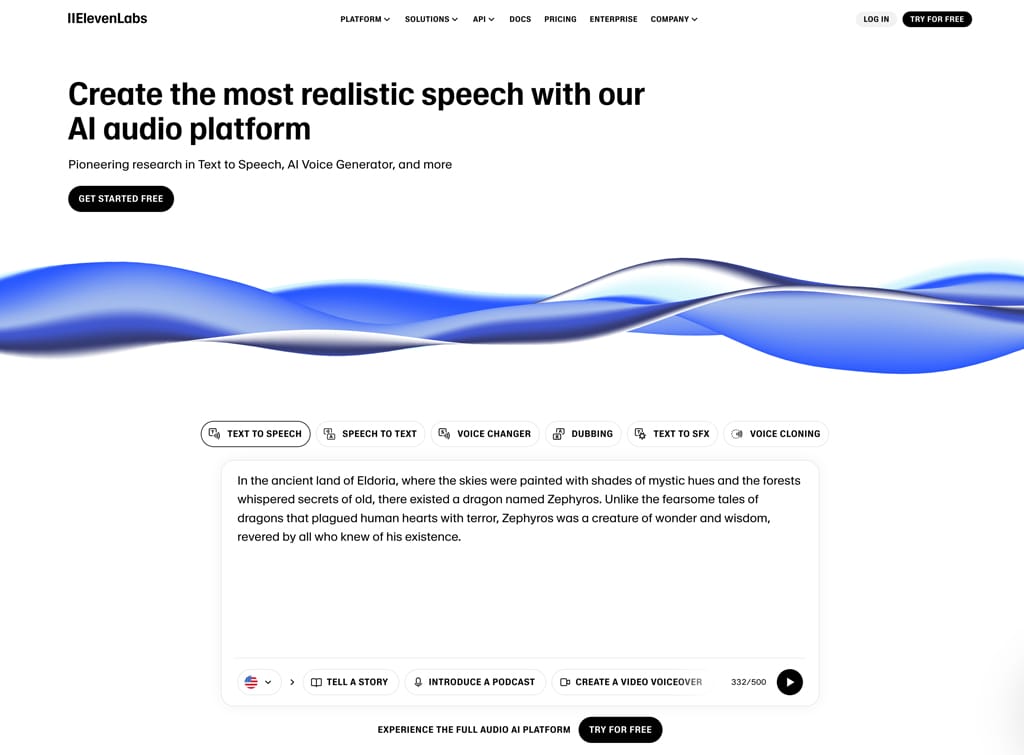
When it comes to AI audio generation, ElevenLabs is currently one of the most popular for content creators and business owners. Here, in my ElevenLabs Review, we’ll go over exactly what you can do with ElevenLabs, how well it performs, and see if you should use ElevenLabs as your AI audio tool.
ElevenLabs Features
With ElevenLabs, you can quickly:
- Generate Audio from Text
- Create Text from Audio
- Generate Sound Effects
- Create Music
- Generate Images and Video
- Isolate Voices
- Clone Your Voice
- Transcribe Real Time Speech to Text
ElevenLabs Pricing and Plans
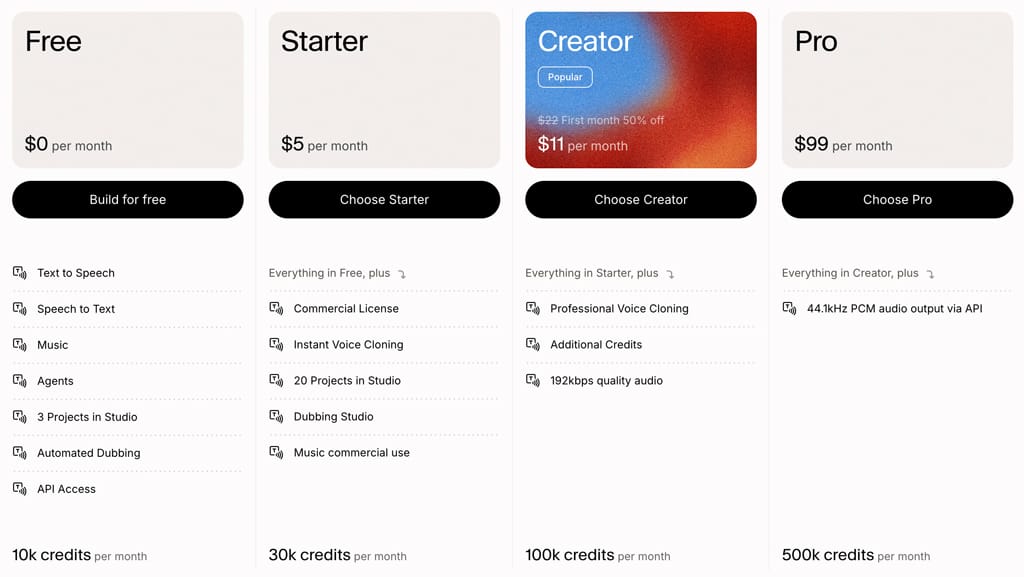
What’s great about ElevenLabs is that you can try it out absolutely free to see how well it suits your audio needs. Like other AI products and tools, you’re allotted a certain number of credits which you use to generate your AI content. ElevenLabs has a number of premium paid plans in addition to their free plan.
- Free (10k Credits Per Month)
- Starter $5 mo. (30k Credits Per Month)
- Creator $11 mo. (100k Credits Per Month)
- Pro $99 mo. (500k Credits Per Month)
- Scale $330 mo. (2M Credits Per Month)
- Business $1320 mo. (11M Credits Per Month)
- Enterprise (Custom Pricing)
While the free plan is certainly enough to try things out, keep in mind that in order to take advantage of features such as voice cloning and higher quality audio, you’ll need to opt for a paid plan. In my case, I use the Creator Plan and it’s worked out well.
My Experience Using ElevenLabs
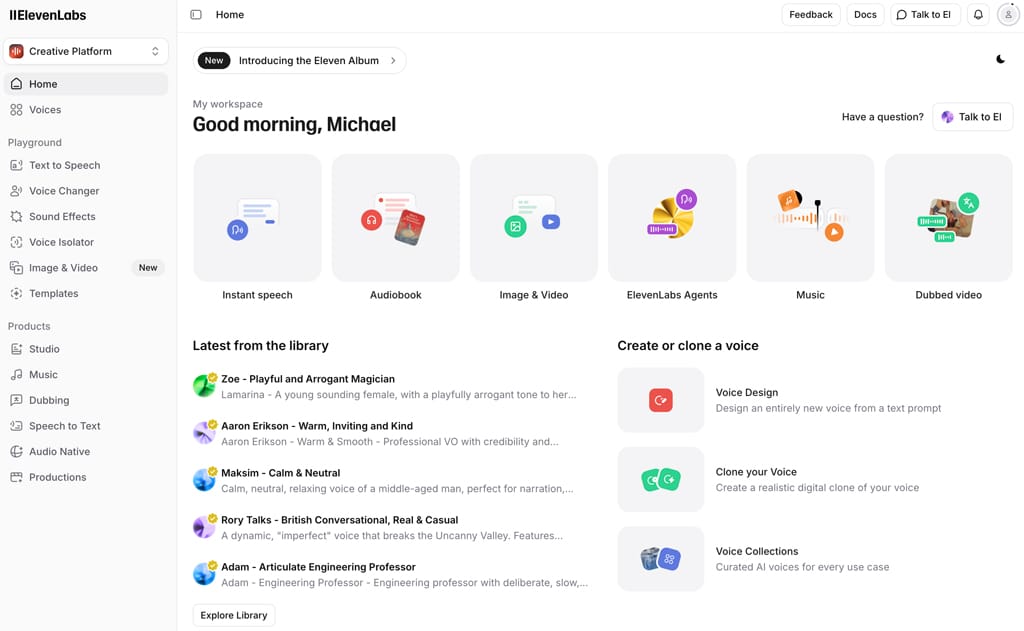
I’ve found ElevenLabs to be amazing. It’s definitely the best AI audio tool I’ve used. I especially like the voice cloning functionality. It isn’t always perfect. For example, sometimes you do have to go back and correct a mispronounced abbreviation. However, this is easily accomplished, and the ability you get to quickly and easily produce quality audio more than makes up for the occasional fix you need to make.
It’s very easy working within the ElevenLabs interface. I’ve extensively used both the Text-To-Audio and the new Studio function to produce my audio files. And both have worked out great.
One note on ElevenLabs voice cloning. In order to get the most accurate representation of your voice, be sure to submit more than the minimum required amount of voice sample files in ElevenLabs. You can really talk about anything in your voice samples. But if you need assistance, just login to ChatGPT and ask for material to read and record.
Creating AI Audio with ElevenLabs
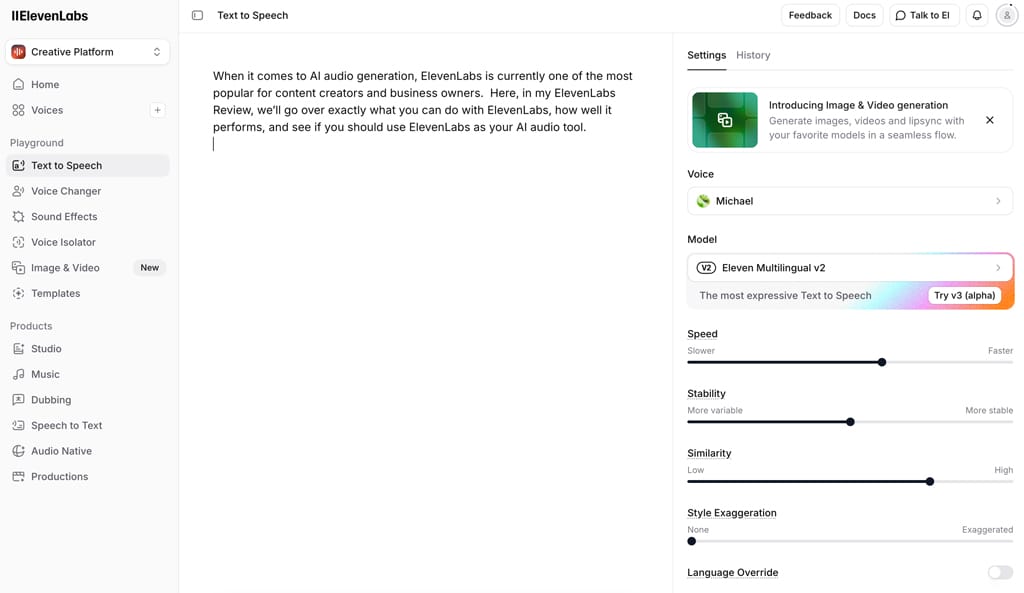
Creating audio with ElevenLabs is very easy. For example, if you have a script you need narrated, just click on the Text to Speed option on the left side of your dashboard and paste in your text. If your script is longer than 5,000 words, you can use the ElevenLabs Studio (see below).
After pasting in your text, on the right side of the dashboard you can select one of the many available AI voices. In my case, I’ve selected my own cloned voice (see below on how to do this with voice cloning). You can also set voice features such as speed, stability, exaggeration, etc.
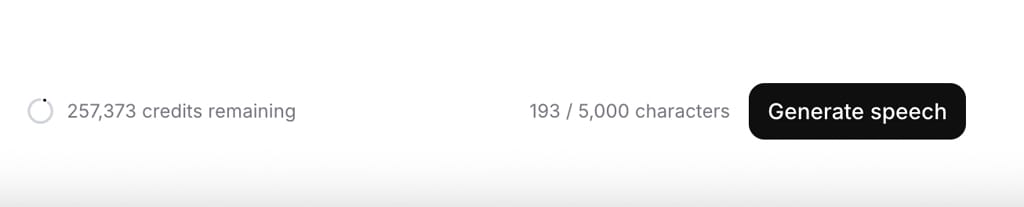
Then, just click the Generate button and your audio is generated which you can then download by clicking the download icon at the bottom of the screen.
ElevenLabs Studio
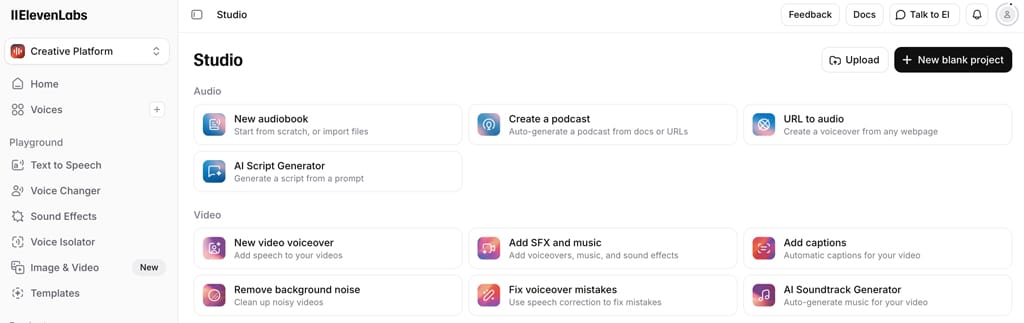
As I mentioned above, for longer scripts and larger text files, you can use the ElevenLabs Studio functionality. Just click on the Studio option on the left of the dashboard and then click the New Blank Project button at the top right.
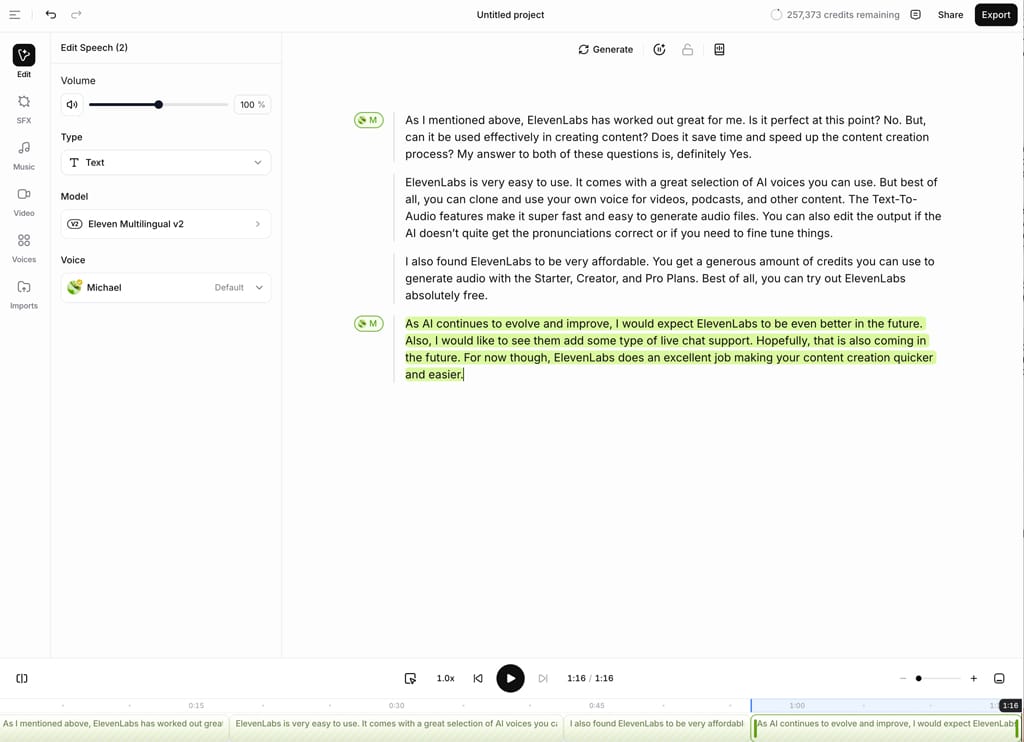
Select Audio Project and then you can paste or type in your text. You can select your narrator voice on the left side. To preview the audio, highlight that section of text and click the play button at the bottom of the screen. To generate and export the complete audio file, click the Export button at the top right of the screen. You’ll see how many credits the generated audio will cost you. You can also set your audio format here.
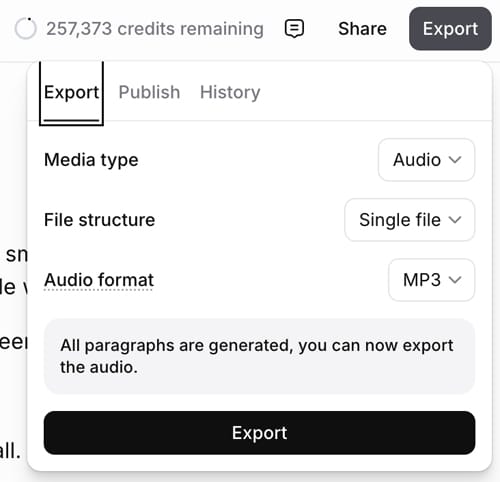
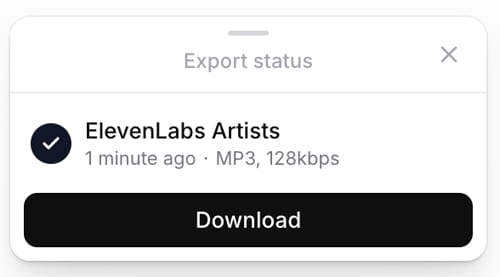
Audio generation time will of course vary depending on the length of your audio file. However, it is very quick. For example, exporting a six and a half minute audio file took about a minute for me. Once the export is complete, you can click on the Download button.
ElevenLabs Voice Cloning
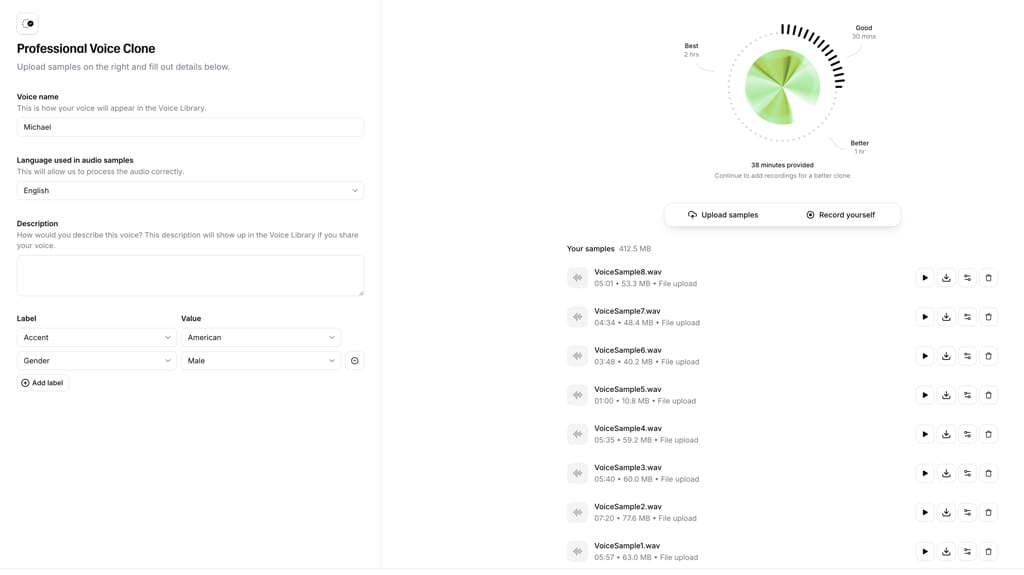
For me, one of the best features with ElevenLabs is the ability to clone you own voice. You’ll need to record audio samples of your voice and upload them to ElevenLabs. The more voice material you upload, the better ElevenLabs can match your actual voice. I would recommend recording at least an hour of your voice to submit for cloning. If you can do more, that’s great. You don’t have to record or recite anything meaningful. You can basically read anything. If you need help coming up with material, login to ChatGPT and you can get a lot of material to read and record.
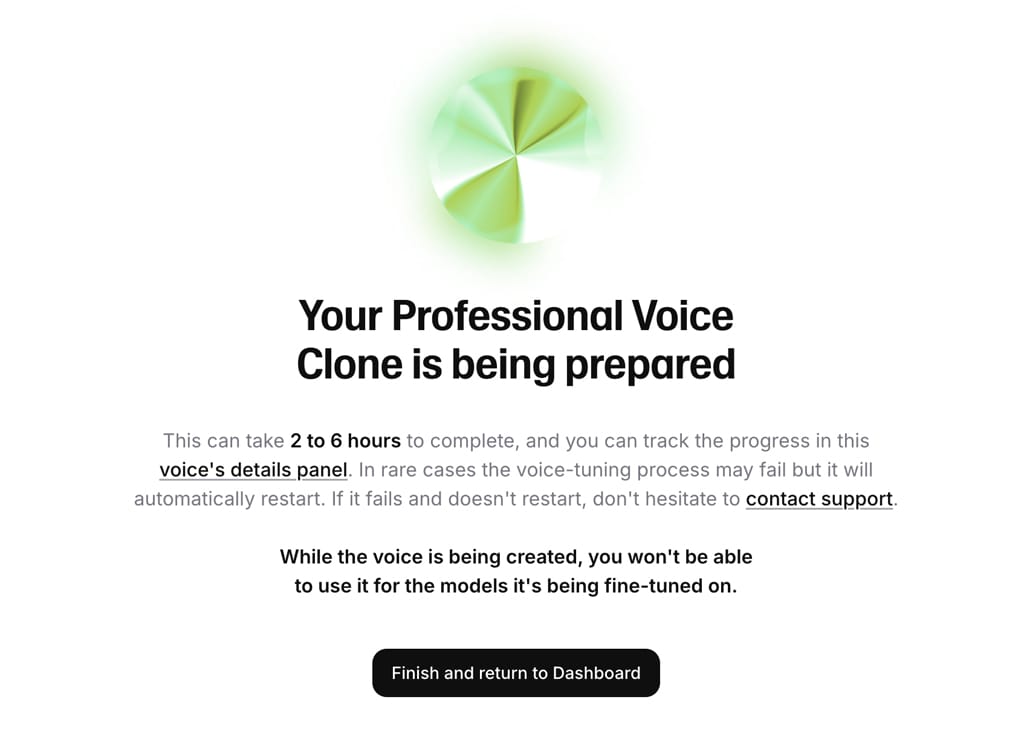
You do have to verify your voice, so make sure you have a microphone ready with your computer. ElevenLabs will have you read something on the screen. The stated processing time for voice cloning is 2 to 6 hours. Once, your voice is verified and voice cloning is completed, you’ll be able to select your cloned voice for any of your ElevenLabs audio.
ElevenLabs Pros and Cons
Pros:
- Easy to Use
- Great Selection of AI Voices
- Excellent Voice Cloning
- Text-To-Audio
- Try it Out for Free
- Affordable Audio Plans
Cons:
- Not Always Perfect. May Require Edits
- No Live Chat Support
ElevenLabs Customer Support
While ElevenLabs does not currently offer live chat support, they do offer automated voice chat support. I tried it out and it was fine for answering most inquiries. Just make sure you have a working mic available with your computer.
ElevenLabs also have a help center knowledge base that has answers to basic questions. Hopefully, in the future will also see some type of live chat support as well.
Conclusion and Recommendation
As I mentioned above, ElevenLabs has worked out great for me. Is it perfect at this point? No. But, can it be used effectively in creating content? Does it save time and speed up the content creation process? My answer to both of these questions is, definitely Yes.
ElevenLabs is very easy to use. It comes with a great selection of AI voices you can use. But best of all, you can clone and use your own voice for videos, podcasts, and other content. The Text-To-Audio features make it super fast and easy to generate audio files. You can also edit the output if the AI doesn’t quite get the pronunciations correct or if you need to fine tune things.
I also found ElevenLabs to be very affordable. You get a generous amount of credits you can use to generate audio with the Starter, Creator, and Pro Plans. Best of all, you can try out ElevenLabs absolutely free.
As AI continues to evolve and improve, I would expect ElevenLabs to be even better in the future. Also, I would like to see them add some type of live chat support. Hopefully, that is also coming in the future. For now though, ElevenLabs does an excellent job making your content creation quicker and easier.
If you’re looking to create a lot of audio content, I would definitely recommend trying out ElevenLabs. You can use the link below to get the Free Plan.
ElevenLabs Review Ratings
- Features: 94
- AI Audio Quality: 90
- User Interface: 89
- Customer Support: 84
- Value: 91